
Features · Version 1.7.0
Everything in Firstfruits Budget
A full household budget that sets giving apart first, keeps every transaction in one place, and runs on a server you control.
Giving first
Giving comes off the top
Giving isn't squeezed in at the end of the month. It has its own place at the top of your dashboard, its own category type, and its own colour: gold.
- "Given first" card at the top of the dashboard shows what you've given this month against your goal.
- A goal that fits you: a percentage of income (10% by default, a tithe) or a fixed monthly amount.
- Its own category type for tithe and church, charities and sponsorships. Giving is counted before spending, kept out of spending totals and budgets, and never triggers a budget warning.
- Recognised automatically. Built-in rules recognise common giving services such as Tithe.ly, Pushpay, church payees, World Vision, Compassion and food banks.
- An optional daily verse on stewardship from the ESV, shown beside your giving. It needs a free Crossway ESV API key and stays off without one.
Dashboard
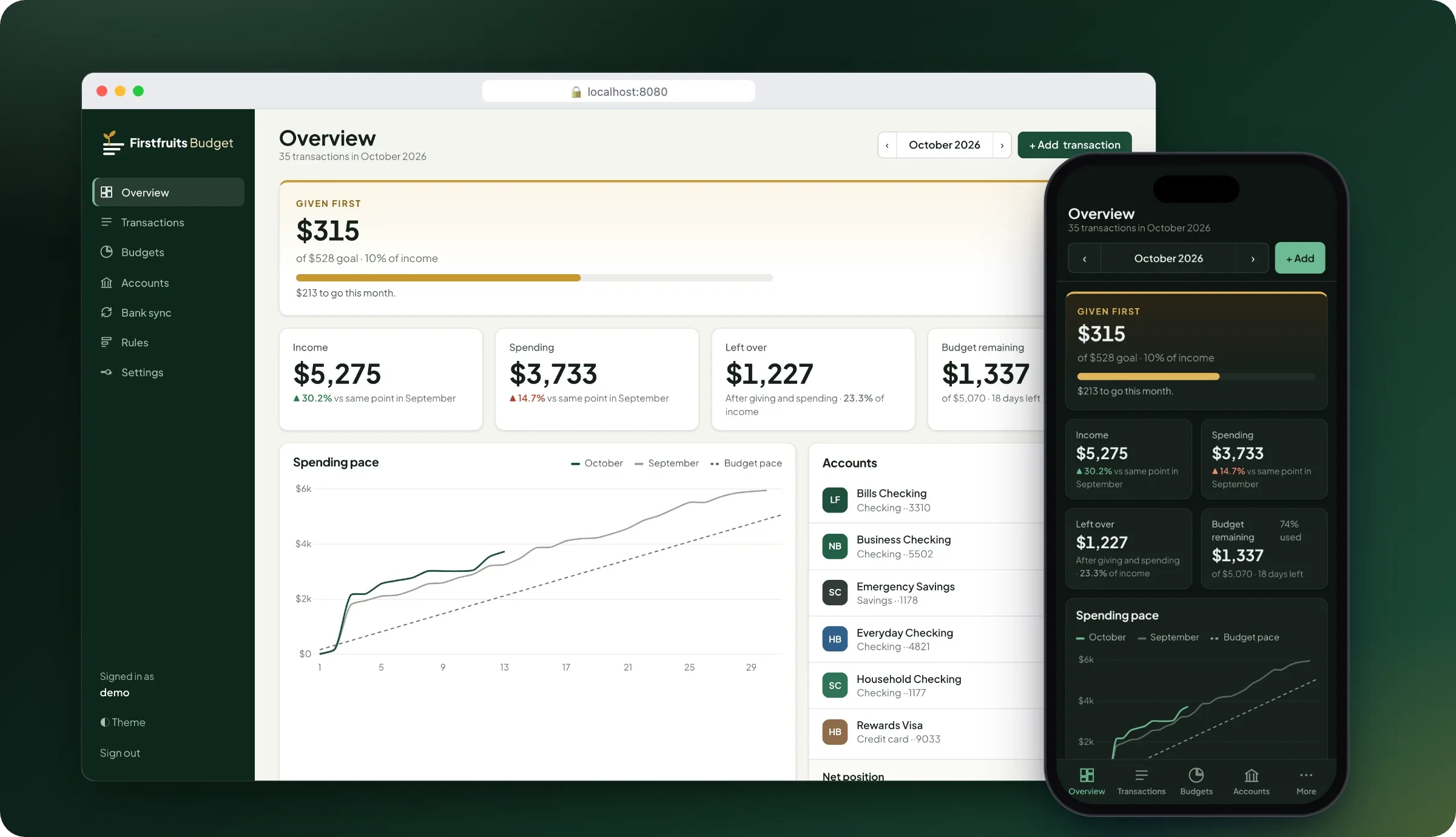
Your month at a glance
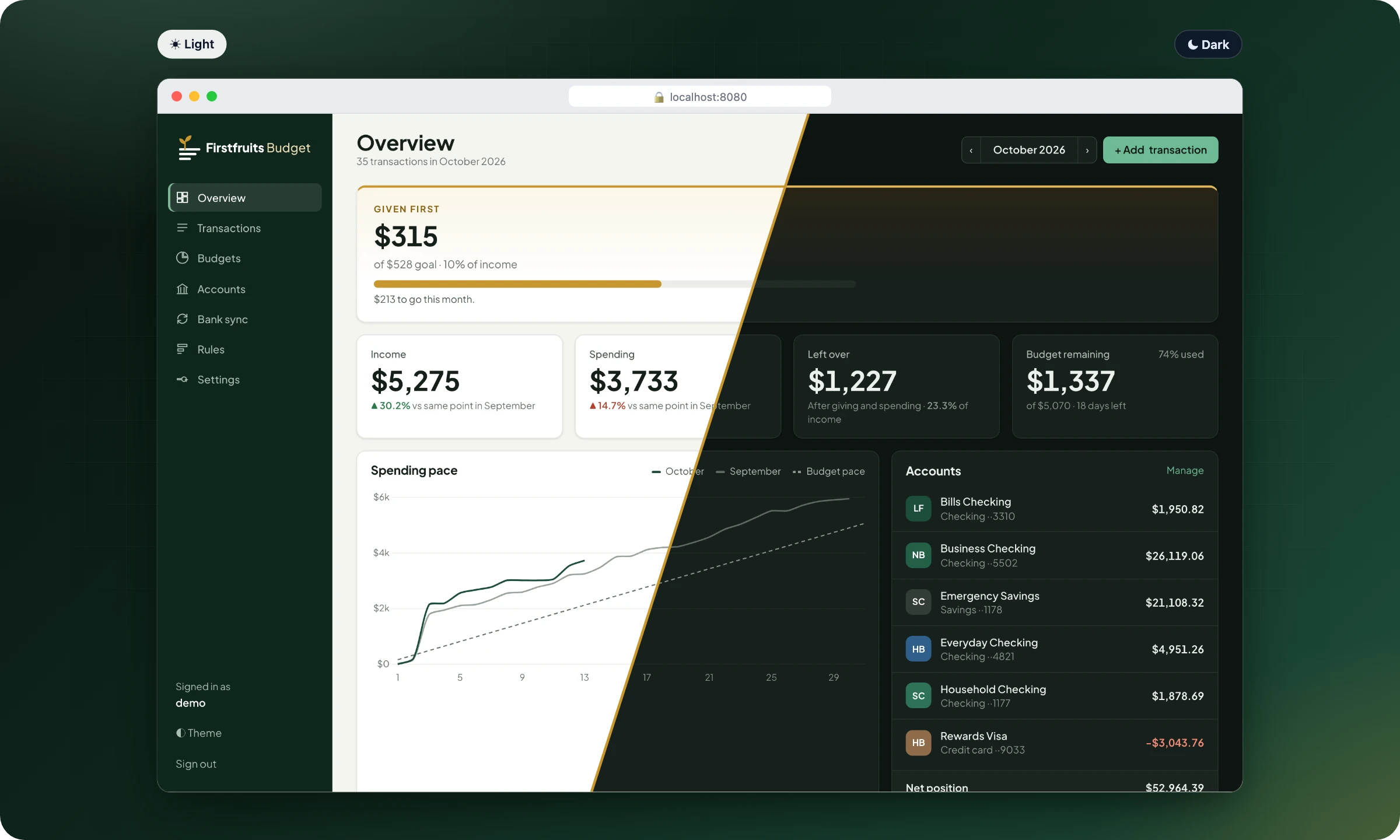
One page tells you where the month stands, and whether it's going better or worse than last month at the same point.
- Monthly overview: income, giving, spending, what's left over, and budget remaining.
- Like-for-like comparison with last month: this month so far against the same day last month.
- Spending pace chart against last month and your budget pace, plus a 12-month chart of income, giving and spending.
- Budget progress by category, top payees, account balances and net position, and recent transactions.
- Light and dark themes that follow your device.
Accounts and transactions
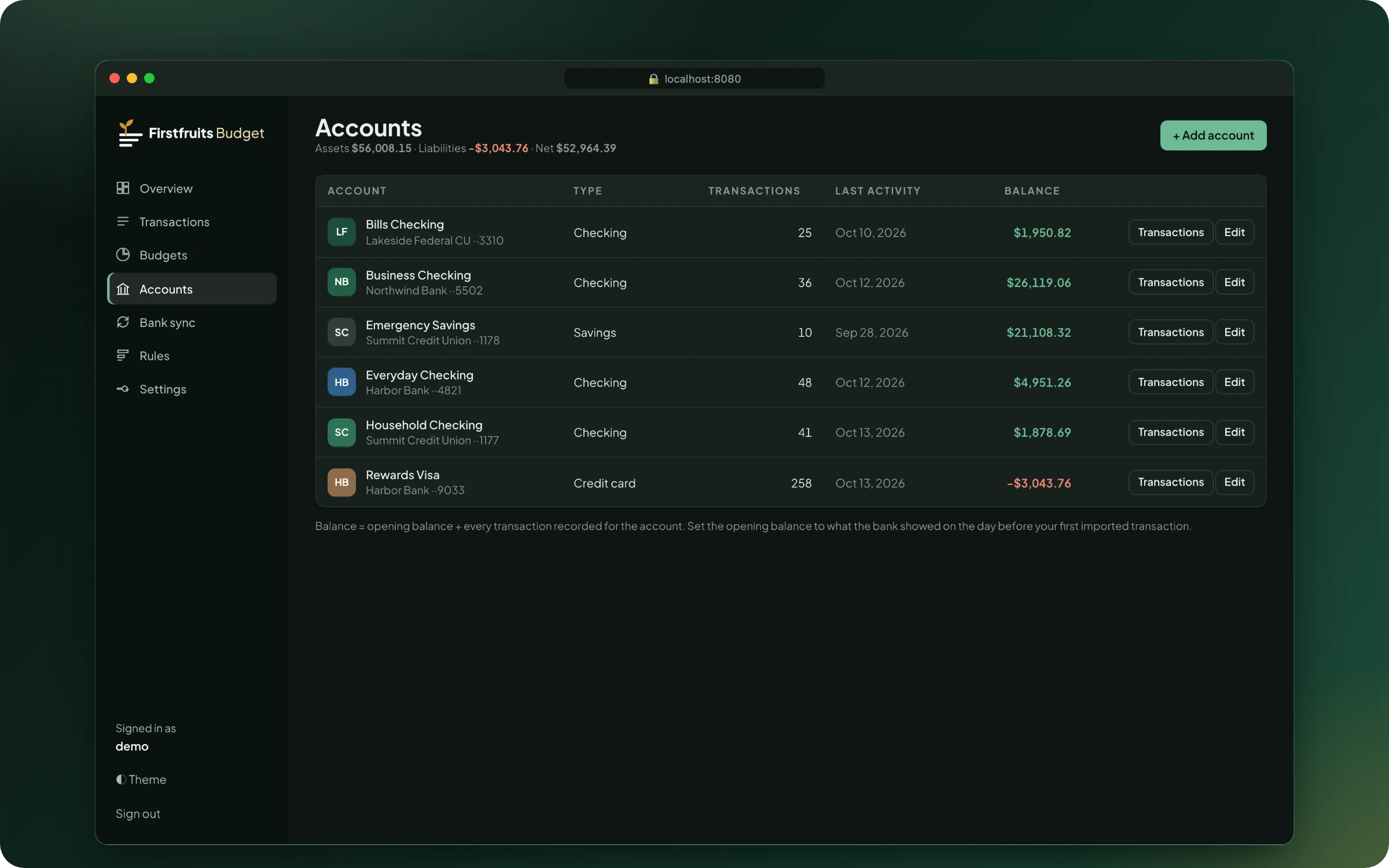
Every account in one place
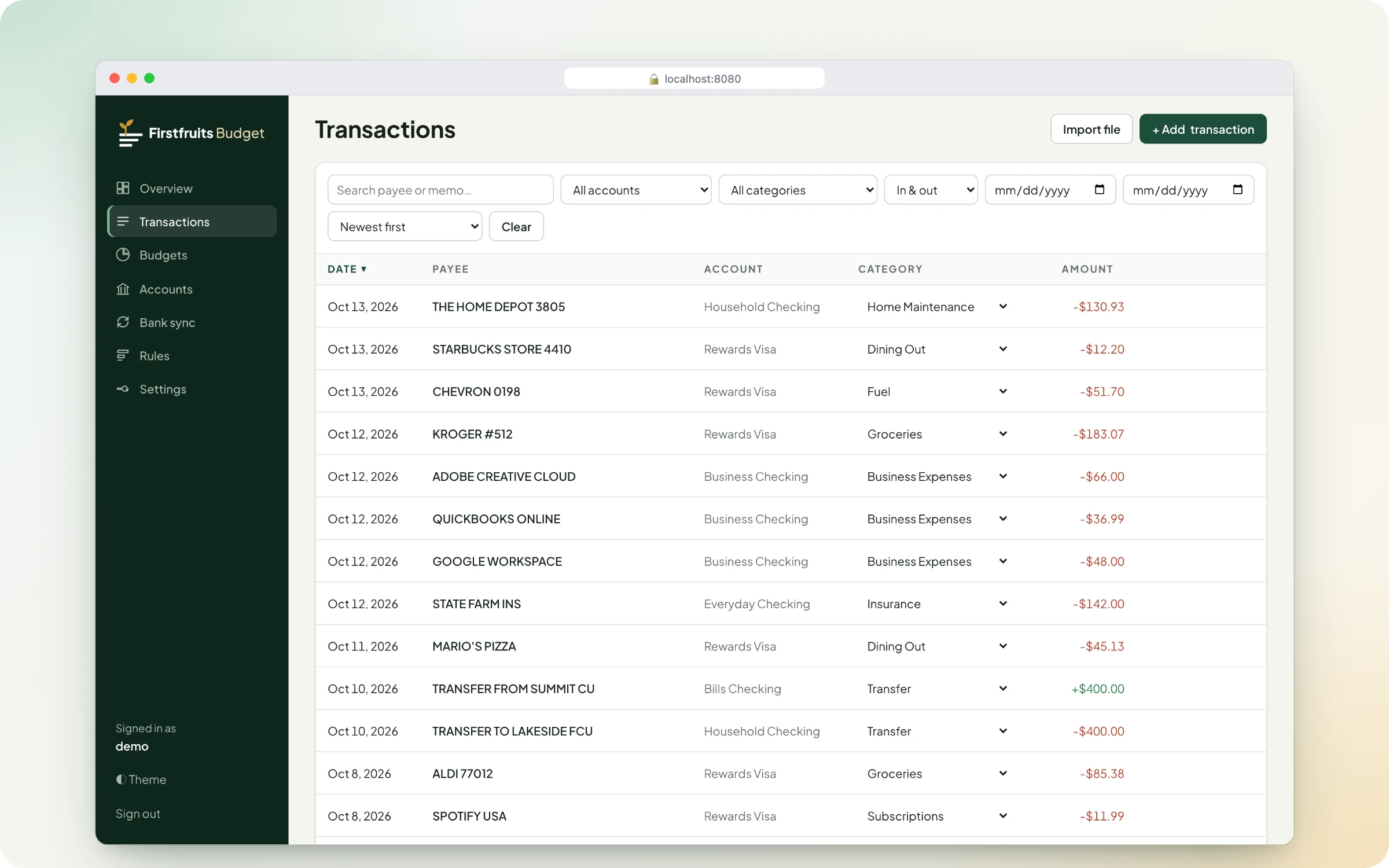
Keep checking, savings, credit cards and business accounts together, and find any transaction in seconds.
- Unlimited accounts: checking, savings, credit cards and business accounts.
- Search and filter by account, category, money in or out, and date range, with sortable columns.
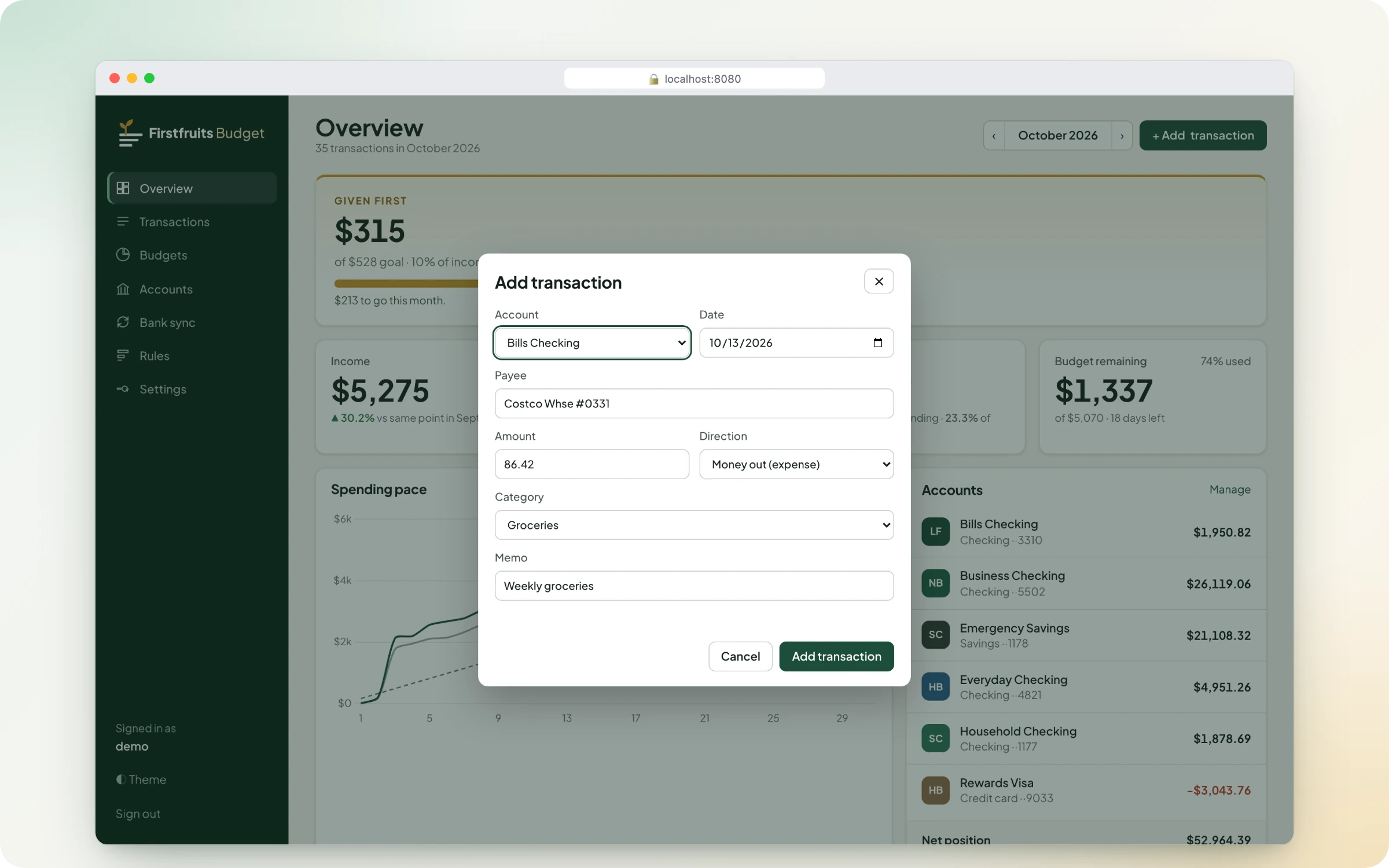
- Edit by hand: add, edit, delete and re-categorise transactions, including changing a category right in the list.
- Exact to the cent. Money is stored as exact cents, so totals never drift.
Getting transactions in
Four ways to bring transactions in
Connect your bank, import a file, automate it with the API, or type it in. Mix and match without creating duplicates.
- Automatic bank sync through SimpleFIN Bridge. It's read-only, so nothing can move money. It syncs every 6 hours or when you ask, updates pending transactions when they post, avoids duplicates with imported files, and reconciles balances to the bank.
- File import: CSV, with columns detected automatically, and Quicken OFX/QFX files from almost any bank. Re-importing the same file is safe.
- REST API with API keys and interactive docs, for scripts and automations such as n8n. External IDs make retries safe.
- Manual entry on desktop or phone.
Budgets, categories and rules
Budgets that tell you plainly where you stand
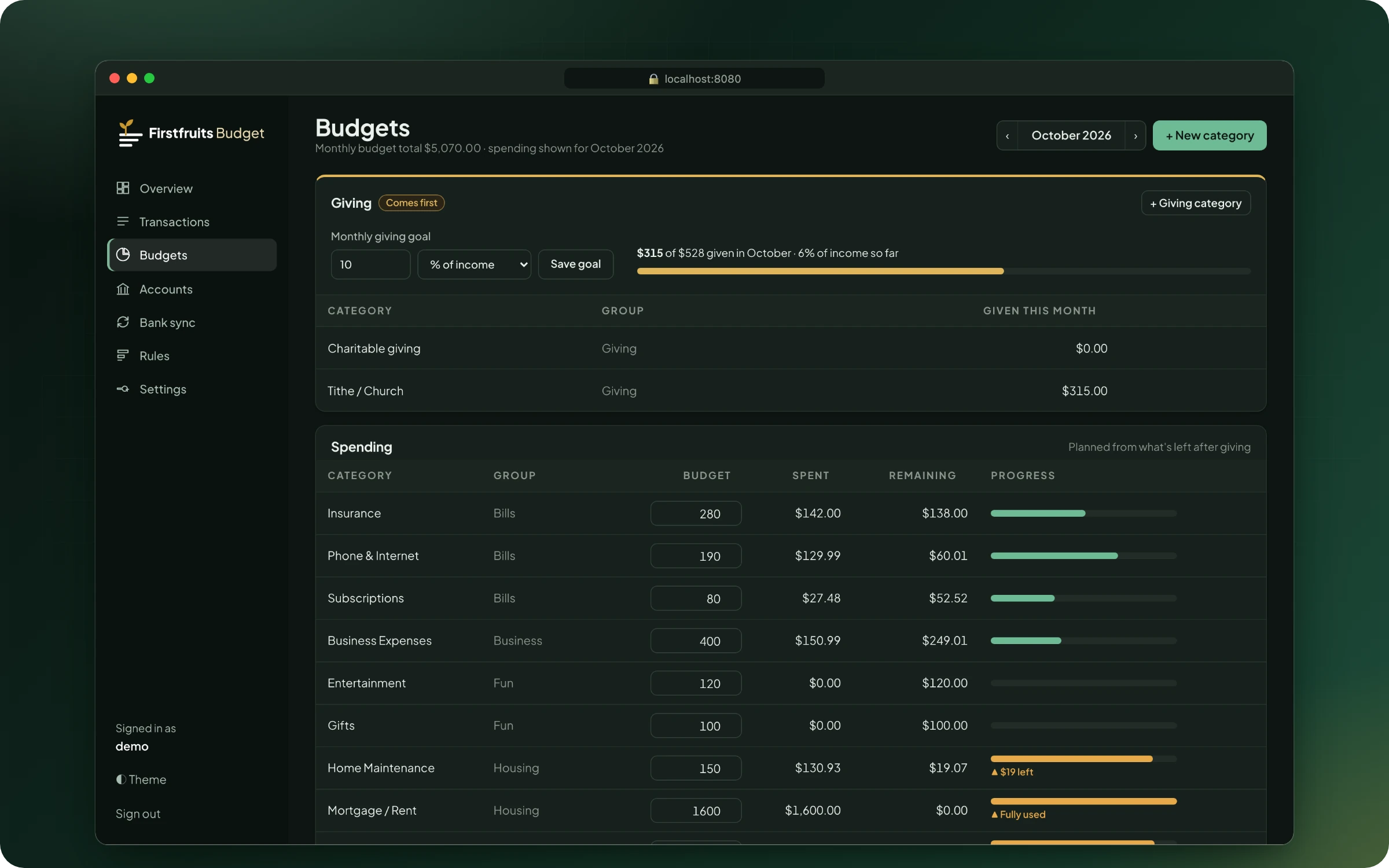
Each spending category gets a monthly budget. Progress is shown with a bar and in words, so it never depends on colour alone.
- A monthly budget per spending category, with progress bars, "$38 left" when you're close, and "Over by $119" when you go over.
- Category types: giving, spending, income and transfer. Transfers between your own accounts aren't counted.
- Category groups keep a long list of categories organised.
- Rules categorise new transactions by payee or memo text, with sensible defaults for common national payees.
Notifications
Alerts where you already look
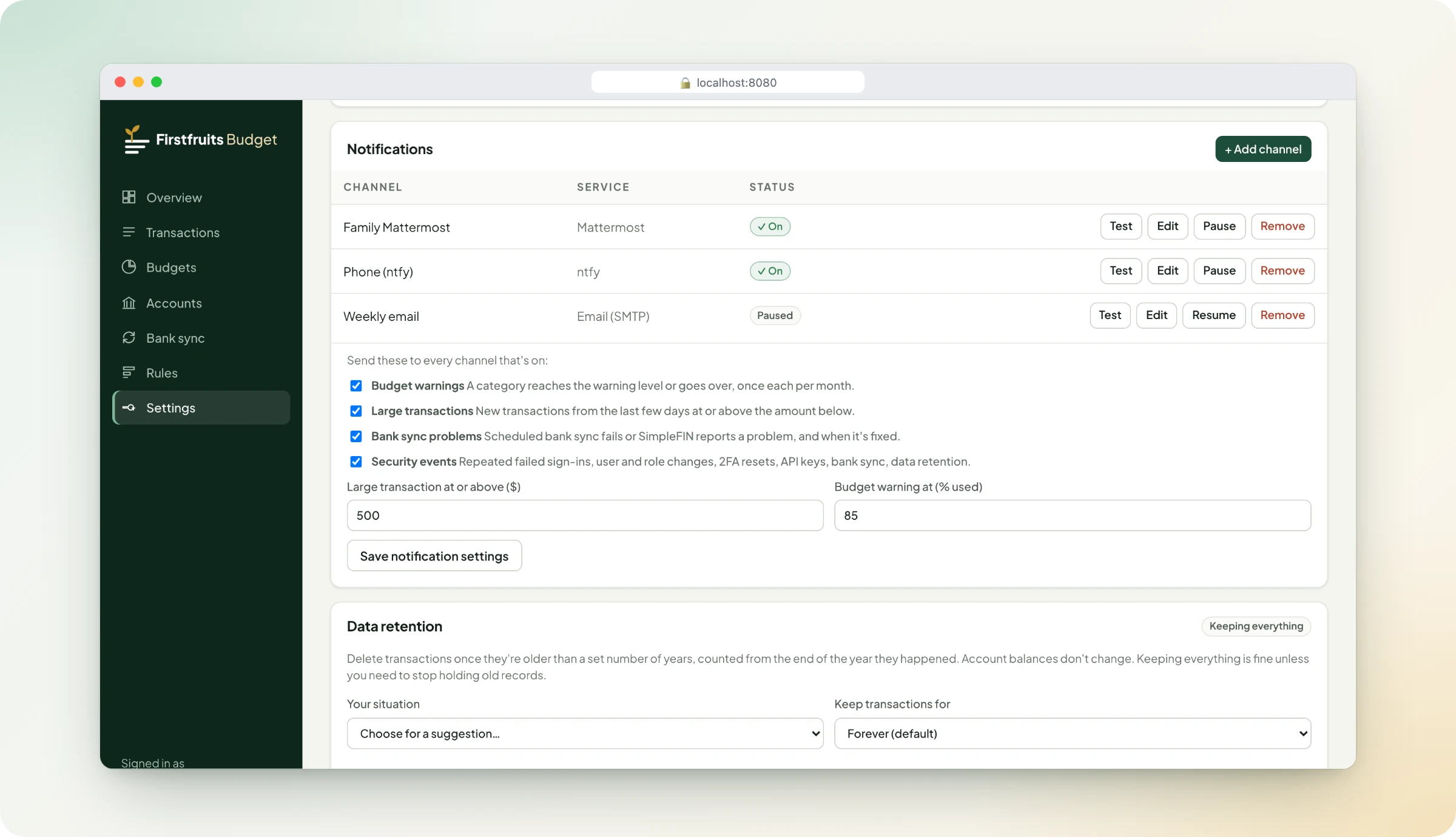
Send alerts to as many channels as you like, and use the Test button on each one to check it works.
- Mattermost
- Slack
- Discord
- ntfy
- Gotify
- Pushover
- Telegram
- Email (SMTP)
- Budget alerts when a category gets close to or goes over budget, once per month for each.
- Large transactions above an amount you choose.
- Bank sync problems, and a note when they're fixed.
- Security events.
- Stored safely: webhook URLs and tokens are encrypted.
Data retention (optional)
Keep what you need, for as long as you need it
Transactions are kept forever by default. If you'd rather not keep years of history, you choose how long.
- Delete history older than 1 to 10 years, or keep everything.
- Different periods per account, for example business 7 years, personal 3, and savings forever.
- Suggested periods with the reasoning for personal, small business, accounting, legal, insurance, healthcare, nonprofit, real estate and government contracting. These follow common US guidance and aren't legal advice.
- Preview before anything is deleted. Balances never change, and old files can't re-import deleted history.
Household sharing and security
One budget for the whole household
Everyone works from the same budget, with the access that suits them, and sign-in is protected properly.
- Roles: Admin, Member (can edit) and View-only.
- Two-factor sign-in with any authenticator app, with recovery codes. Admins can reset it for someone who lost their phone.
- Sign-in protection: strong password hashing, sign-in throttling, sign-out everywhere when access changes, and 12-hour or 30-day sessions.
- Encrypted at rest: bank-sync credentials, two-factor secrets and notification settings. API keys are stored only as hashes.
Phone
Made for the phone in your pocket
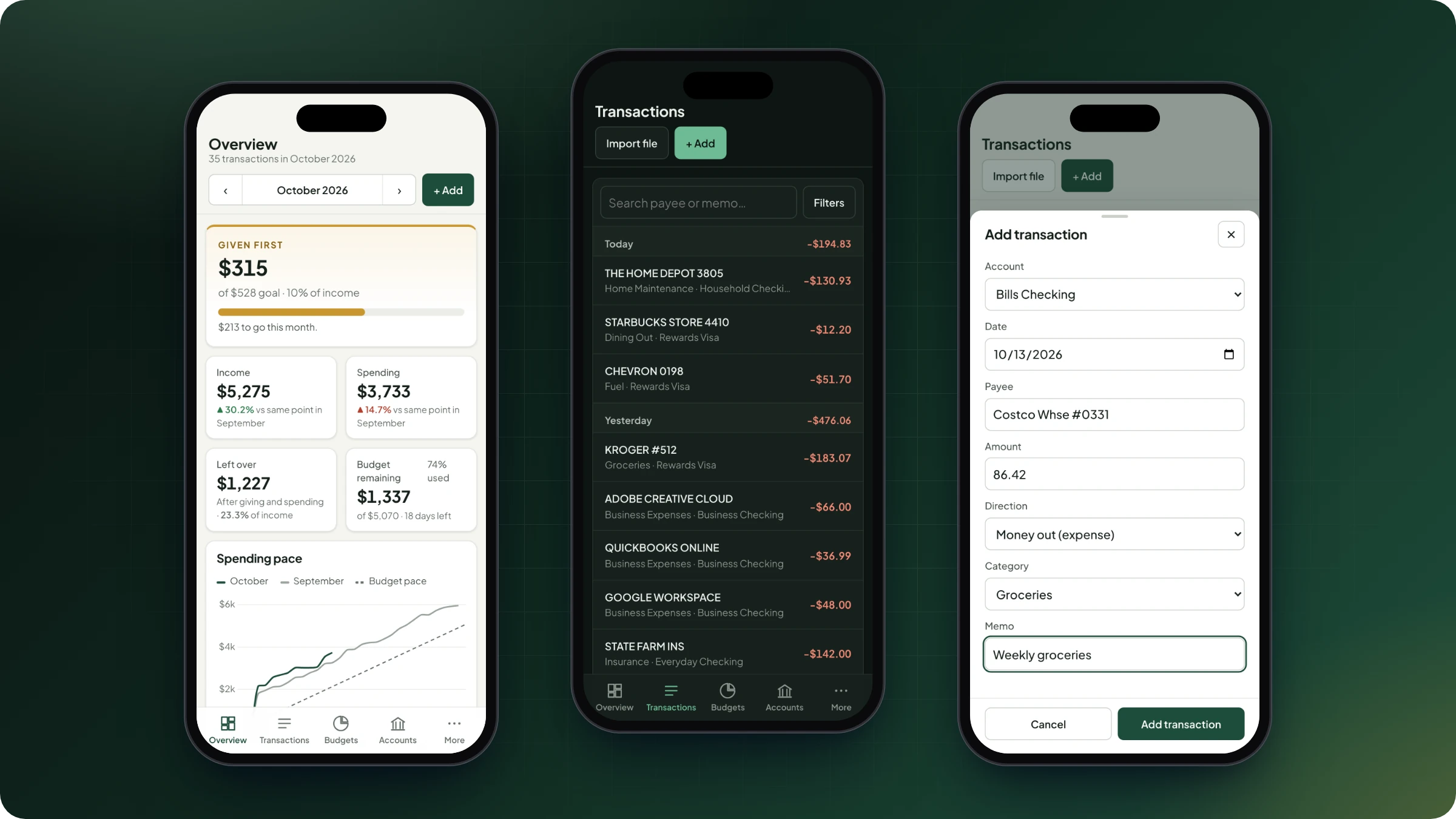
The phone layout is designed first, not shrunk down from the desktop.
- Phone-first layout: a bottom tab bar, transactions grouped by day, and forms that open as bottom sheets.
- Installs to the home screen on iPhone and Android as a Progressive Web App, with its own icon.
- Nothing left behind: financial data is never cached on the device.
Hosting and privacy
Runs on your server, and stays there
Your data stays on your server. There are no accounts with us, no tracking, and nothing loaded from third-party CDNs.
- Docker Compose or Portainer: the app, a PostgreSQL database and automatic nightly backups, keeping 14 daily, 8 weekly and 12 monthly copies.
- Optional automatic updates: push to GitHub, and it's tested, built and running on your server in about 5 minutes.
- Checked before it ships: every build is scanned for known vulnerabilities with pip-audit and Trivy before it can be published, and a weekly rebuild picks up security patches.
- Hardened containers: a read-only filesystem, a non-root user, and Linux capabilities dropped.
- Private access: works behind Cloudflare Tunnel and Access, Tailscale or WireGuard, with a health check endpoint for monitoring.
Good to know
Before you install
You host it
Firstfruits Budget runs on your own computer or server with Docker. There is no hosted or cloud version.
Bank sync costs extra
Automatic bank sync needs a SimpleFIN Bridge subscription, about $1.50 a month or $15 a year, paid to SimpleFIN, not to us. File import and manual entry don't need it.
Not included today
- Savings goals
- Recurring bill tracking
- Receipt attachments
- Data export
- A hosted or cloud version
- Native app-store apps
- Multiple separate budgets per install
- Currencies other than US dollars
Want to try Firstfruits Budget?
Join the waitlist and we'll let you know when it's available.